


 ChatGPT
 Perplexity
 Claude
 Google AI
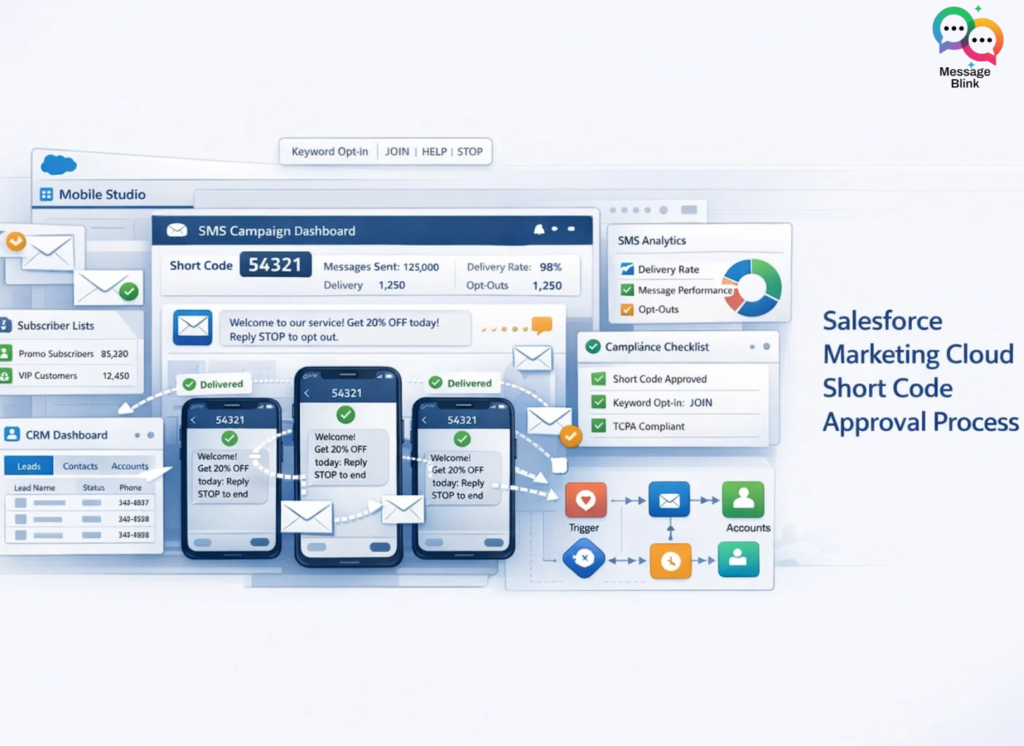
The process for getting a Salesforce Marketing Cloud text messaging short code approved typically takes 10–12 weeks. It involves five main stages: Selecting your telephony model, completing the Campaign Application Form (CAF), submitting for Carrier Vetting, testing in a Sandbox, and finally migrating to Production. To pass vetting, your “Call to Action” must explicitly state message frequency, data rates, and bolded STOP/HELP instructions.
Many organizations using Salesforce CRM also look for ways to send SMS alerts, reminders, and notifications directly from their Salesforce environment. While Marketing Cloud short codes are designed for large-scale marketing campaigns, Salesforce messaging apps like Message Blink allow teams to send SMS and WhatsApp messages directly from the Salesforce dashboard without needing a separate marketing automation platform.
The Short Code Approval Roadmap (2026)
In 2026, carriers (Verizon, T-Mobile, AT&T) have standardized their vetting through the Short Code Monitoring Handbook. Here is the exact path to approval in Marketing Cloud Engagement:
Step 1: Partner Selection & Pre-Work (Weeks 1-2)
You cannot simply “buy” a short code in the SFMC UI. You cannot directly purchase a short code inside the Salesforce Marketing Cloud interface. Instead, short codes are provisioned through SMS aggregators or telecom partners that integrate with Salesforce.
Select Your Type: Decide between a Random Short Code ($500/mo) or a Vanity Short Code ($1,000/mo).
Verify Multipliers: In 2026, Salesforce Message Credits vary by country and code type. Ensure your budget accounts for the specific “Domestic Multiplier” for your region.
Step 2: The Campaign Application Form (CAF)
The Campaign Application Form (CAF) is the most important document in the approval process. It describes how your organization will use the short code and how customers will opt in. Carriers use this document to verify that your messaging program complies with CTIA and carrier messaging rules.
Call to Action (CTA): You must provide a mockup of where users sign up (e.g., a web form or in-store sign).
Keywords: You must define your “Primary Keyword” (e.g., JOIN) along with mandatory STOP and HELP responses.
Terms & Conditions: You must have a live (or staging) URL showing your SMS-specific Terms of Service and Privacy Policy.
Step 3: Carrier Vetting (Weeks 3–10)
Salesforce submits your CAF to the carriers. They manually review your use case to ensure it doesn’t involve prohibited content (S.H.A.F.T. — Sex, Hate, Alcohol, Firearms, Tobacco).
Audit Risk: The CTIA conducts weekly audits. If your HELP keyword doesn’t return your company name and contact info, your code can be suspended immediately.
Step 4: Sandbox Testing & Configuration
While waiting for carrier approval, your short code is provisioned in a Marketing Cloud Sandbox.
Administration: Navigate to Mobile Studio > MobileConnect > Administration.
Keyword Creation: Create your double opt-in templates and verify that your “Conversation Window” (default 60 mins) is correctly set.
Step 5: Go-Live in Production
Once all carriers approve, the code is migrated to your Production Business Unit. In 2026, this final move usually takes about one week.
2026 Compliance Checklist for Short Codes
To avoid rejection during the vetting process, your Call to Action must include these six elements:
Program Name: (e.g., “Message Blink Alerts”)
Message Frequency: (e.g., “Msg frequency varies”)
Pricing Disclosure: (“Message and data rates may apply”)
Help Instructions: (“Text HELP for help”)
Opt-Out Instructions: (“Text STOP to cancel”)
T&C/Privacy Link: A direct, accessible link to your policies.
Short Code vs. 10DLC: Which Should You Use?
| Feature | Short Code (5-6 Digits) | 10DLC (10 Digits) |
| Approval Time | 10–12 Weeks | 1–4 Weeks |
| Throughput | Highest (100+ msgs/sec) | Moderate (capped by tier) |
| Best For | Flash Sales, OTPs, Mass Alerts | 1-on-1 Sales, Local Service |
| Cost | High ($500 – $1000/mo) | Low ($2 – $10/mo) |
Conclusion
Short code approvals can take 10–12 weeks, making them ideal for large-scale marketing campaigns but slow for teams that need quick messaging capabilities.
If you want to send SMS or WhatsApp messages directly from Salesforce CRM, automate alerts, and manage customer conversations without telecom delays, try Message Blink.
Send messages, trigger notifications with Salesforce Flow, and manage two-way chats all from your Salesforce dashboard.
👉 Try Message Blink for Salesforce