


 ChatGPT
 Perplexity
 Claude
 Google AI
Text Message Limit: What Every Marketer Must Know
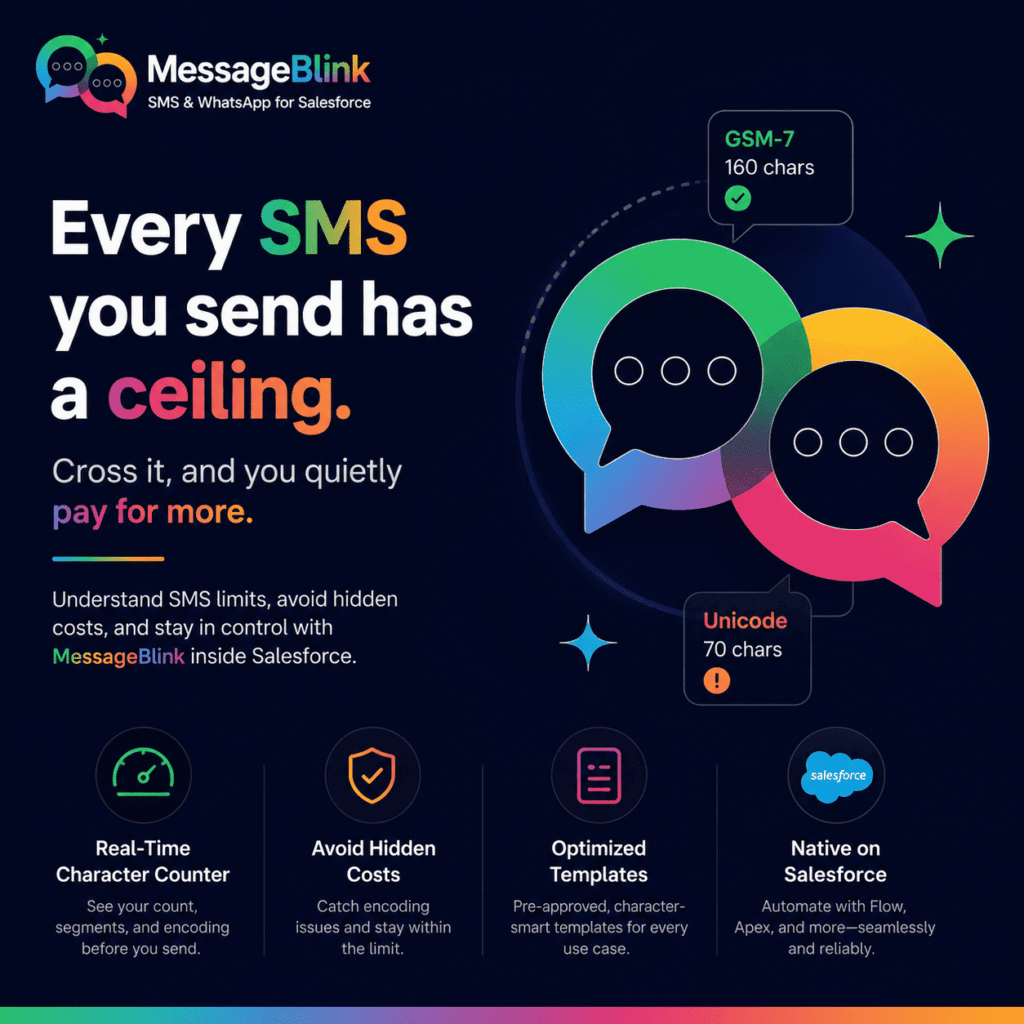
Every SMS you send has a ceiling – and if you go past that, you’ll pay silently. Whether you’re running a promotional campaign, sending appointment reminders, or triggering automated workflows inside of Salesforce, knowing the text message limit is non-negotiable. It’s the difference between a campaign that works and one that drains your budget dry without warning.
This guide covers the mechanics of SMS character limits/text message limit and their purpose, what happens when your message exceeds limits, and how MessageBlink, a Salesforce-native SMS and WhatsApp platform, helps you maintain control over every character you send.
What’s the Text Message Limit?
Standard text messages are limited to 160 characters when using the GSM-7 character set. The default encoding for SMS is GSM-7, which supports the Latin alphabet (A-Z), numbers (0-9), and a small set of punctuation.
The 160 character limit is for one SMS segment. If this count is exceeded by even one character, your message no longer travels as one unit.
Why the 160 Character Limit?
SMS was created in the late 1980s and standardized for commercial use in 1992. Back then, the engineers needed a messaging protocol that could piggyback on the signaling channels already built into GSM mobile networks—channels not designed to carry data in the first place.
Friedhelm Hillebrand and Bernard Ghillebaert decided that 160 characters would be enough to convey a complete meaningful message within those bandwidth limits. They came to this conclusion after studying the average length of postcards and telex messages.
The basic protocol hasn’t changed much in the last 30 years. The 160-character limit is now baked into global carrier infrastructure, device firmware, and delivery standards. It lives on not because it is perfect, but because it is all-inclusive.
The Impact of SMS Encoding on Your Character Limit
The text message limit is not a fixed number; it depends on the encoding your message triggers.
GSM-7 Encoding — 160 Characters
The default is GSM-7. It includes:
- All standard Latin alphabet letters (upper & lower case)
- 0-9 numbers
- Common punctuation: period, comma, exclamation point, question mark, @, $ and others
- A small extended character set ( € [ , ] { } , ^ | ~ ) , each taking 2 characters of your limit
If all the characters in your message are GSM-7, you can send up to 160 characters per message.
Unicode (UCS-2) Encoding — 70 Characters
The moment your message has a single character not in GSM-7, like an emoji, an accented letter outside the standard set, a Chinese character, an Arabic letter, or a curly apostrophe copy-pasted from a word processor, the entire message is re-encoded in Unicode (UCS-2).
You’re almost certainly going to have to pay the price of 16 bits per character, instead of 7, which drops your single message limit from 160 characters down to 70.
This is one of the most common and least expected SMS marketing budget leaks. A single emoji in a 150-character message isn’t just a character; it will trigger an entire encoding switch and possibly double your send cost.
What Happens When You Exceed the Text Message Limit?
If a message is too long for a single segment, it is automatically split into multiple segments, which is also called concatenation. The segments are sent one at a time, reassembled by the receiving device and displayed on screen as one continuous message.
However, reassembly at the device level doesn’t change the billing reality at the carrier level.
Text Message limits for concatenation:
| Encoding | Single Part | Multipart (Per Segment) |
|---|---|---|
| GSM-7 | 160 characters | 153 characters |
| Unicode (UCS-2) | 70 characters | 67 characters |
The reason for the reduction from 160 to 153 (and 70 to 67) is that each segment of a multi-part message must include a User Data Header (UDH)—a small amount of metadata that tells the receiving device how to reassemble the segments in the correct order. Each segment takes up 7 characters’ space in UDH.
Billing example:
A 200 character message in GSM-7:
- Segment 1: 153 characters – billed as 1 SMS
- Segment 2: 47 characters – billed as 1 SMS
- Total: 2 SMS charged
A 100 character Unicode message:
- Segment 1: 67 characters – charged as 1 SMS
- Segment 2: 33 characters – counts as 1 SMS
- Total: 2 SMS cost
Unmonitored segmentation is a huge cost multiplier at scale—10,000 messages, 100,000 messages.
Characters That Often Break Your GSM-7 Limit
Here are the worst offenders that silently push messages into Unicode:
- Emojis — all emojis must be UCS-2 encoded
- Curly/smart quotes (” ” ‘ ‘) – automatically created by Microsoft Word, Google Docs, and most rich text editors
- Em dashes (—) — a marketing copy staple
- Accented characters — letters such as é, ñ, ü, ç (not in the GSM-7 standard set)
- Bullet points & special symbols — ●, ™, ©, ®
The best practice when writing SMS content is to write in a plain text environment and preview it in your SMS platform before sending.
Text Messaging Limits and Delivery
And message segmentation has a deliverability dimension that’s easy to forget, in addition to cost.
Carriers and SMS aggregators consider each segment a message in transit. When it comes to high-volume A2P (Application-to-Person) sending—the category that covers all business SMS—carriers have throughput limits, filtering rules, and spam detection at the segment level.
Filtering is more difficult with multi-segment messages. A message with 4 segments results in 4 independent transmission events, each of which is evaluated separately for the carrier. The statistical probability of at least one segment delay or filtering is correspondingly increased.
For time-sensitive communications like OTP codes, appointment reminders, and flash sale alerts, message length has a direct impact on the speed and reliability of your delivery.
Practical advice: stay in one segment whenever it is operationally feasible.
Text Message Limits in Salesforce and How to Manage Them with MessageBlink
MessageBlink is built natively on Salesforce, meaning character counting, encoding detection, and segmentation logic are built right into the platform—not in an external tool you need to toggle between.
Live Character Counter
The MessageBlink composer shows you a live character count and segment count as you type. Before you send a single message, you see what encoding you’re using now (GSM-7 or Unicode), how many characters you have left in the current segment, and how many segments your message will take up in total.
Encoding Warning
MessageBlink detects an encoding switch as soon as you add a Unicode character to your message body. Rather than discovering the cost impact after a campaign has already gone out, the triggering character can be discovered and removed.
Library of Templates
Pre-approved, character-optimized templates for common use cases such as appointment reminders, promotional alerts, and transactional notifications enable your team to launch campaigns quickly without re-engineering message copy each time.
Salesforce Flow and Automation Integration
MessageBlink supports Salesforce Flow, Process Builder & Apex triggers. When SMS is sent programmatically from these automation tools, the text message limit and encoding rules apply. Since MessageBlink is built on Salesforce, your automated messaging is subject to the same optimization logic as manually written messages.
WhatsApp Messaging
If your use case really needs longer, richer content—customer support threads, detailed service notifications, or onboarding sequences—MessageBlink also supports WhatsApp on top of SMS. WhatsApp messages don’t have the 160 character limit of SMS, so it’s a practical alternative when message length is a structural requirement rather than a drafting issue.
Tips for Staying Within the Text Message Limit
1. Write in plain text, not in rich text editors. Smart quotes, em dashes, and non-breaking spaces are inserted automatically by word processors. Invisible formatting hazards for SMS are these: Always use plain text or write directly on your SMS platform.
2. Audit your merge fields Personalization tokens (first name, account name, appointment date) are used in Salesforce SMS campaigns to pull dynamic data into message bodies. Long field values can make messages cross the segment boundary unexpectedly. Test with the longest plausible values before deployment.
3. Shorten URLs A normal URL can take up 40-80 characters all by itself. Use a URL shortener – preferably one with click tracking – to reclaim that space for message content.
4. Eliminate redundant context SMS recipients don’t need the same framing as email readers. Phrases such as “We are pleased to inform you that” are redundant and provide no value. Be straightforward.
5. Review before you schedule Always preview the final character count, segment count, and encoding before scheduling a campaign send. In MessageBlink, this information is visible in the composer before any messages leave your Salesforce organization.
Conclusion
The text message limit is one of those foundational SMS concepts that experienced marketers sometimes overlook precisely because it seems too basic to revisit. But at campaign scale, the cost of unmanaged segmentation and accidental Unicode encoding is concrete and measurable.
Understanding how GSM-7 and Unicode encoding interact with character limits, how concatenation billing works, and how seemingly minor characters like smart quotes or em dashes can trigger encoding switches — this is the knowledge that separates campaigns that deliver efficient ROI from those that quietly overspend.
MessageBlink is built natively inside Salesforce, which means the tools to manage these limits—real-time character counting, encoding detection, and segment visibility—are embedded in the same environment where your customer data and automation workflows already live.
If your team sends SMS through Salesforce and you want full visibility into every character before it leaves your org, MessageBlink is built for exactly that workflow.