
 UK +44 (734) 008 7301
 USA +1 (737) 395 8587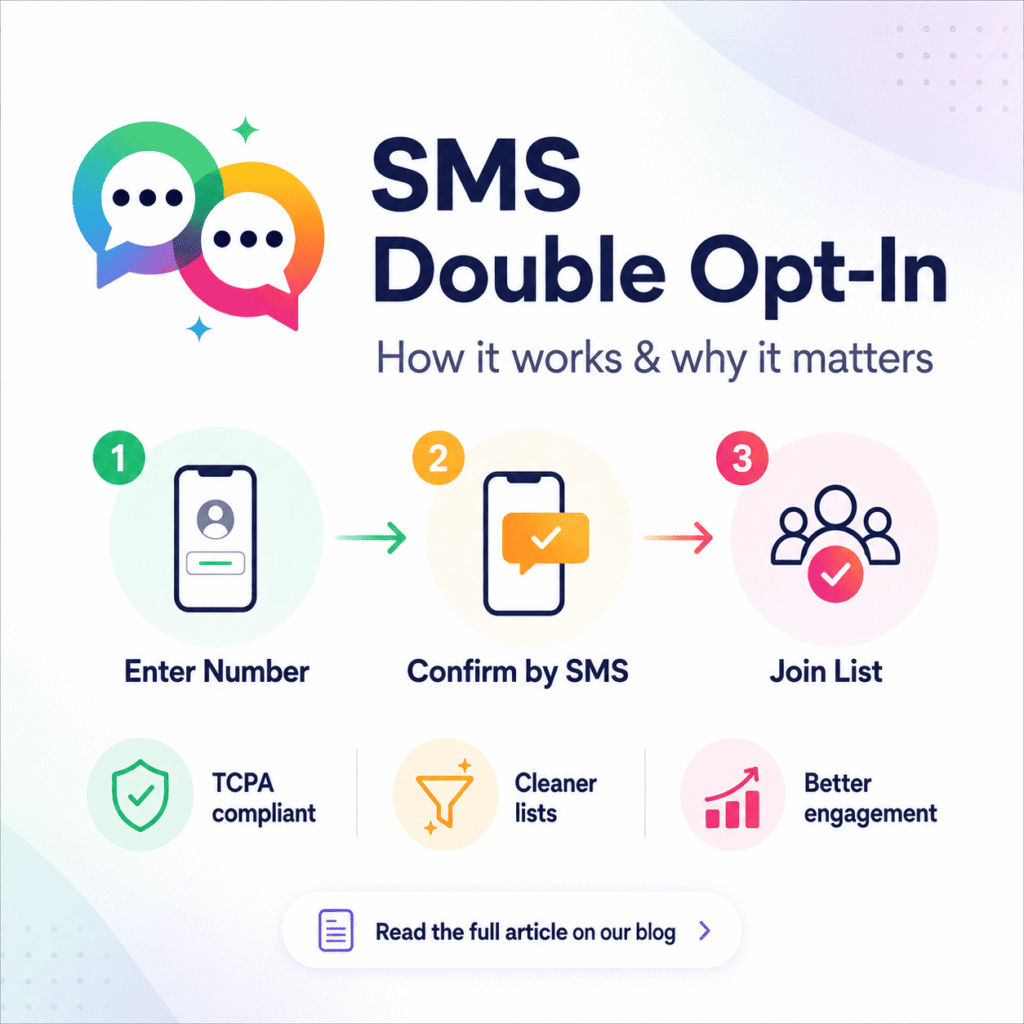
 ChatGPT
 Perplexity
 Claude
 Google AI
Double opt-in SMS: What it is, how it works, and why you should use it
Growing your SMS subscriber list is one of the most valuable things you can do for your business—but how you grow it is just as important as how fast you grow it. Enter SMS Double Opt-in.
If you’re new to SMS campaigns or refining an existing program, then understanding double opt-in is non-negotiable. It protects your subscribers, keeps your business out of legal trouble, and gives you a list of people who actually want to hear from you.
Here’s what we’ll be talking about: what SMS double opt-in is, how it works (step by step), how it compares to single opt-in, and best practices to set it up the right way.
What is SMS Double Opt-In?
SMS double opt-in is a two-step consent process whereby a customer provides their phone number to receive marketing messages and then confirms that consent by replying to a verification SMS, typically with a specific keyword like YES, JOIN, or a custom phrase.
Here’s how the process actually works:
- A customer provides their phone number via a sign-up form, pop-up, or keyword
- They receive an automated SMS to confirm their subscription
- They reply with the codeword.
- They have now been officially added to your SMS subscriber list
The big difference from single opt-in is the confirmation step. Double opt-in does not assume consent; it verifies it.
Single Opt-In vs. Double Opt-In – What’s the Difference?
| Feature | Single Opt-In | Double Opt-In |
|---|---|---|
| Consent steps | One | Two |
| Subscriber confirms by SMS | ✗ | ✔ |
| TCPA compliance strength | Moderate | Strong |
| Risk of numbers being faked or mistyped | ✔ | ✗ |
| Quality of List | Lower | Higher |
| Engagement Rate | Lower | Higher |
| Spam complaints | More likely | Less likely |
| Recommended for US senders | ✗ | ✔ |
Double opt-in wins in every metric that actually drives results – engagement, deliverability, and legal standing – even if single opt-in is faster for list growth on paper.
Why SMS Double Opt-In is Important
TCPA Compliant
If you are sending SMS marketing messages to customers in the United States, you are subject to the Telephone Consumer Protection Act (TCPA). The TCPA prohibits businesses from sending marketing texts to any person unless they have prior express written consent.
Double opt-in provides a documented trail of two-step consent as proof of compliance. If a customer responds YES to your confirmation message, that customer has expressly agreed to receive your communications—that confirmation is a meaningful layer of protection if your consent practices are ever challenged.
Violations of the TCPA can be subject to statutory damages of $500–$1,500 per message. Non-compliance is costly for any business running large-scale automated SMS campaigns. Double opt-in is your first and most important line of defense.
Cleaner, Higher Quality Subscriber Lists
Single opt-in means anyone can enter any phone number, whether it’s a typo, an invalid number, or a number belonging to someone else entirely. Double opt-in automatically clears these entries. If you don’t get a reply to a confirmation message, that number never gets on your active subscriber list.
This results in a list of just real people who own the numbers they submitted and actively opted in.
Better engagement & conversion rates
More engaged are your double opt-in subscribers. They went the extra mile to show their interest, which means they’re much more likely to open your messages, engage with your offers, and convert. Yes, your list may grow more slowly, but the subscribers you get will make more money per contact down the road.
Fewer spam complaints and carrier filtering issues
SMS carriers use automated filters to detect and block messages that are generating high complaint rates. A list with fake, invalid, or reluctant subscribers is a fast track to deliverability issues. Double opt-in reduces complaints by making sure the people on your list actually want to be there, keeping your sender reputation healthy and your messages arriving in real mailboxes.
How SMS Double Opt-In Works: A Step by Step
Step 1: The customer enters their phone number
The process starts when a customer gives you their phone number, either through a web form, a landing page pop-up, a checkout field, or by texting a keyword to your short code or long code. This is the first opt-in.
Step 2: Confirmation Message Sent Automatically
Right after you submit, your SMS platform will automatically send a confirmation message. This message needs to identify your brand, tell the subscriber what they are signing up for, and include a call to action for them to reply with a specific keyword to confirm.
A good confirmation message looks like this:
“[Brand Name]: Reply YES to opt in to receive marketing text messages from us. Message and data rates may apply. Reply STOP to cancel anytime.”
Step 3: Customer Responds with Confirmation Keyword
The customer replies with the keyword you select—YES, JOIN, or a custom phrase of your choosing. This response is their second opt-in and constitutes explicit and verifiable consent.
If a customer doesn’t respond, they will not be added to your active list. This is handled automatically by the double opt-in flow.
Step 4: Welcome Message and Opt-In List
Once the subscriber receives the keyword, they are added to your list, and your platform will send a welcome confirmation message. From here they will be able to receive your ongoing campaigns.
Keywords for Text-to-Join and Double Opt-In
Text-to-join keywords are a popular method for building SMS subscriber lists through offline and online marketing channels. A customer views your keyword on a billboard, social post, email, or in-store display and texts the keyword to your number in order to subscribe.
This flow naturally supports double opt-in. When a customer texts your keyword, you send a confirmation SMS to confirm their intent. Only confirmed subscribers will be added to your list.
Keywords can be brand-aligned and memorable—words like DEALS, PLANTS, UPDATES, or a branded term unique to your business. The confirmation step doesn’t break the experience; it adds to it by setting expectations upfront.
Double Opt-In SMS Best Practices
Create a compliant, clean confirmation message. Your confirmation SMS must include the name of your business, what the subscriber is signing up for, message frequency and cost disclosures, and a STOP instruction.
Reply immediately to the confirmation. Confirmation messages that are delayed create friction and increase drop-off. Your opt-in flow should be triggered in real-time, within seconds of the initial signup.
Use a simple keyword. Everyone knows confirmation keywords like YES or JOIN. Avoid complex or misspelled keywords, which only create unnecessary barriers.
Send a real welcome message. Say hello to someone when they are confirmed. A clear value statement — and ideally a first-subscriber offer — in the welcome message reassures them they made the right choice.
Recording of your consent. For TCPA compliance, your platform should store the timestamp, phone number, source, and confirmation reply for each subscriber. This documentation will serve as proof of consent in case you need it.
Never add unconfirmed subscribers to live campaigns. Contacts that initiated the opt-in but did not confirm should be held in a pending state only. Messaging an unverified subscriber treats them as consented when they are not.
MessageBlink: Execute SMS Double Opt-In Natively Inside Salesforce
For Salesforce users, SMS double opt-in doesn’t need to mean third-party tools, workarounds, or data syncs. MessageBlink is a 100% Salesforce-native SMS and WhatsApp messaging platform built directly on the Salesforce platform—so your entire opt-in workflow lives inside the CRM your team already works in.
With MessageBlink you can:
- Use Salesforce Flow to trigger automated confirmation messages when a contact field updates or a form is submitted
- Capture and store opt-in consent records with time stamps and confirmation keywords directly against each contact or lead record in Salesforce
- Create custom keywords for opt-in and manage them in your MessageBlink settings
- Enroll confirmed subscribers into SMS nurture sequences, campaigns, or drip flows all within Salesforce
- Always attach TCP Compliant documentation to the correct CRM record for audit readiness
Since MessageBlink lives entirely inside Salesforce with no external database, your consent data, subscriber records, and campaign history are all one, accurate, and always current.
See MessageBlink on the Salesforce AppExchange — Create scalable, compliant SMS workflows for your business.