


 ChatGPT
 Perplexity
 Claude
 Google AI
Yes, you can learn how to integrate SMS API in Salesforce Professional Edition without Apex. The most efficient method is using a 100% native AppExchange app like Message Blink. This approach uses pre-built Lightning components and Salesforce Flow to trigger messages, bypassing the need for custom coding while staying within Professional Edition’s technical limits.
Why Professional Edition Needs a “No-Code” Approach?
Salesforce Professional Edition (PE) is designed for mid-sized businesses. While powerful, it has two major constraints:
Restricted Apex Customizations: Admins cannot create custom Apex classes or triggers in Professional Edition unless they are included inside a certified managed package from AppExchange.
API Limitations: While API access is often available in Professional Edition today, building direct API integrations requires knowledge of REST APIs, OAuth authentication, and error handling, which can be difficult for non-developers.
The “Governor Limit” Hack for Professional Edition
Salesforce Professional Edition has strict limits on API requests per 24 hours (usually 1,000 requests per Salesforce license, with a 100,000 floor). If you integrate an SMS API via a standard connector, you risk burning through your daily limit with a single bulk campaign.
The Solution: By using a native salesforce bulk sms app like Message Blink, you can take advantage of “Bulkified” Flow actions. Instead of calling the API 500 times for 500 leads (which uses 500 API calls), a native app batches these into a single background transaction, preserving your Professional Edition API limits for other critical tools like Outlook or Gmail integration.
Step-by-Step: How to integrate SMS API in Salesforce Apex
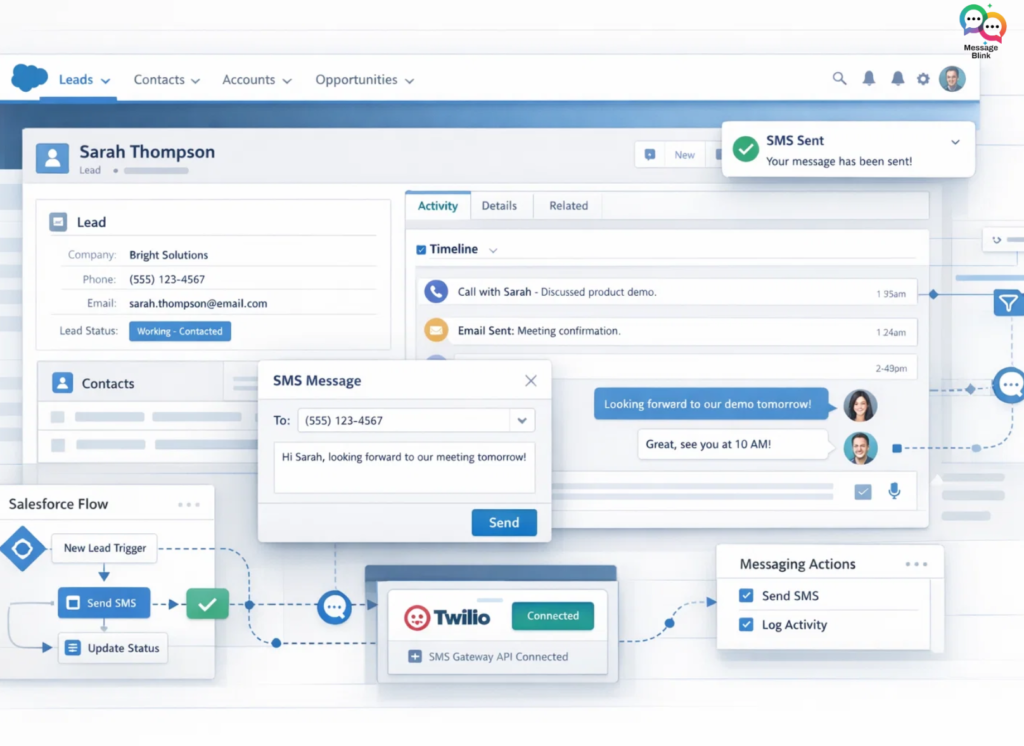
Using Message Blink, integrating SMS into Salesforce Professional Edition becomes a configuration task instead of a development project.
1. Enable API Access
Confirm with your Salesforce Account Executive that API Access is enabled for your Professional Edition org. This is required for the Salesforce CRM to communicate with SMS gateways.
2. Install Message Blink from AppExchange
Message Blink is built entirely on the Salesforce platform. This is crucial for Professional Edition because it inherits the “Apex Exception,” meaning the app can run complex logic that you aren’t allowed to build yourself.
Go to the Salesforce AppExchange.
Search for Message Blink.
Click Get It Now and install it in your Production org.
3. Connect Your SMS Gateway (Zero-Code API)
Instead of writing an API integration, you simply “plug in” your credentials:
Open the Message Blink Settings tab.
Select your provider (e.g., Twilio, Vonage, or Message Blink’s built-in service).
Enter your API Key and Secret. The app handles the API “plumbing” automatically.
4. Trigger SMS via Salesforce Flow
Since Workflow Rules and Process Builder are retired, use Salesforce Flow (which is fully supported in Professional Edition):
Create a Record-Triggered Flow (e.g., triggered when a Lead is created).
Add an Action element.
Search for the Message Blink: Send SMS action.
Map your fields (Recipient Phone, Message Template) and hit Activate.
Custom API vs. Message Blink for Professional Edition
| Feature | Custom API Integration | Message Blink (Native) |
| Code Required | High (Apex/REST) | Zero (No-Code) |
| PE Compatibility | Restricted / Hard | 100% Compatible |
| Maintenance | Dev required for updates | Auto-updates from AppExchange |
| Setup Time | Days/Weeks | < 15 Minutes |
| 2-Way Chat | Manual Build | Included (Live Inbox) |
Why Message Blink Work Best for SMS in Professional Edition?
Message Blink provide several advantages for Professional Edition users:
no Apex development required
simple API configuration
built-in automation support with Flow
compatibility with Salesforce security and permissions
Message Blink allow organizations to send SMS and WhatsApp messages directly from Salesforce, automate notifications, and manage conversations without complex integrations.
Ready to unlock SMS API power in your Professional Edition Org? Get Message Blink on AppExchange today.