


 ChatGPT
 Perplexity
 Claude
 Google AI
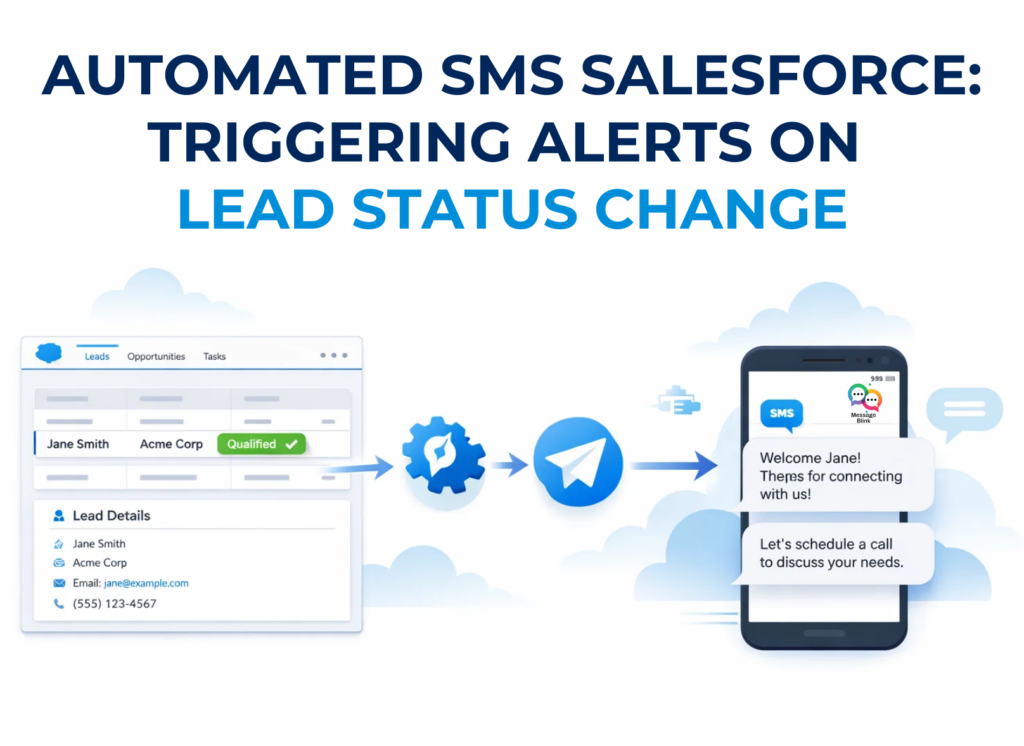
Automated SMS in Salesforce is a workflow that triggers text messages based on CRM record changes. By using a native app like Message Blink and Salesforce Flow, you can instantly notify sales reps or leads when a status changes (e.g., from “New” to “Working”). This ensures zero-minute lead response times, increases conversion rates by up to 391%, and maintains full 10DLC and TCPA compliance without manual effort.
Sales teams rely on speed. The faster you respond to a new lead, the higher the chance of conversion. But many Salesforce teams still rely on email notifications or manual follow-ups, which slows down response times.
By using automated SMS in Salesforce, you can instantly notify sales reps or leads the moment a record changes in your CRM.
In this guide, we’ll show you how to trigger SMS automatically using Salesforce Flow and a native SMS app like Message Blink.
Step-by-Step: Triggering SMS on Lead Status Change
To get started, ensure you have installed Message Blink from the AppExchange. If you are sending from US or Canada, once your 10DLC registration is complete, follow these steps to build your automation.
1. Create Your SMS Template
Before building the logic, you need the content.
Navigate to the Message Templates tab in Message Blink.
Create a new template: “New Lead Internal Alert.”
Body: “Hot Lead Alert! {!Lead.FirstName} {!Lead.LastName} from {!Lead.Company} just changed status to {!Lead.Status}. Call them now: {!Lead.Phone}”
2. Launch Salesforce Flow Builder
Go to Setup > Process Automation > Flows and click New Flow.
Flow Type: Select Record-Triggered Flow.
Object: Choose Lead.
Trigger: Select A record is updated.
Condition Requirements: Set to All Conditions Are Met (AND).
Field:
StatusOperator:
Is ChangedValue:
$GlobalConstant.True
When to Run: Select Only when a record is updated to meet the condition requirements.
3. Add the “Send SMS” Action
Click the (+) icon to add a new element and search for “Action.”
Search for the Message Blink: Send SMS action.
Label: “Notify Owner of Status Change.”
Phone Number: Map this to the Lead Owner’s mobile field or the Lead’s mobile number for customer-facing alerts.
Template ID: Select the template you created in Step 1.
4. Activate and Test
Save your Flow and hit Activate. To test, go to any Lead record and change the status. If everything is configured correctly, the SMS will fire instantly. You can also monitor your delivery rates via native Salesforce reports.
2026 Use Cases for Automated Salesforce SMS
A. The “Speed to Lead” Alert
The moment a web form is submitted, trigger an automated SMS to the lead: “Hi {!Lead.FirstName}, thanks for your interest in {!Lead.Product__c}! An expert will call you in 2 minutes. Need us sooner? Reply ‘NOW’.” This strategy is proven to double lead response rates.
B. The “Nurture” Trigger
When a lead status moves to “Nurture,” trigger a drip campaign. Learn more in our guide to automated drip campaigns via Salesforce SMS.
C. The “Dead Lead” Re-engagement
If a status hasn’t changed in 30 days, have a Salesforce Agentforce bot send a check-in text to see if they are still interested. This humanized AI approach keeps your pipeline warm without manual work.
Ensuring 2026 Compliance (TCPA & 10DLC)
Automation is powerful, but it must be legal. In 2026, US carriers are stricter than ever.
Registration: Every automated send must come from a 10DLC registered Brand and Campaign.
Opt-In: Ensure your web forms have a checkbox for SMS consent.
Opt-Out: Message Blink handles “STOP” keywords natively, instantly updating the record to prevent further automated sends. See our full compliance guide for details on avoiding spam filters.
Conclusion
Automating SMS notifications in Salesforce helps sales teams respond faster and stay connected with leads at the exact moment engagement matters most. Instead of relying on manual follow-ups or delayed email alerts, automated SMS ensures that important updates like a lead status change trigger instant communication.
By using Salesforce Flow together with a native messaging app like Message Blink, you can easily build powerful SMS automation without writing any code. From notifying sales reps about hot leads to sending real-time alerts to prospects, automated SMS workflows keep your pipeline active and improve response times.
👉 Install Message Blink from Salesforce AppExchange and start automating your Salesforce SMS workflows today.