


 ChatGPT
 Perplexity
 Claude
 Google AI
Salesforce SMS has become an essential tool for businesses looking to build instant customer connections. Whether in sales, support, or marketing, text messaging integrated into Salesforce boost engagement, drive faster responses, and create better customer experiences-all within your CRM.
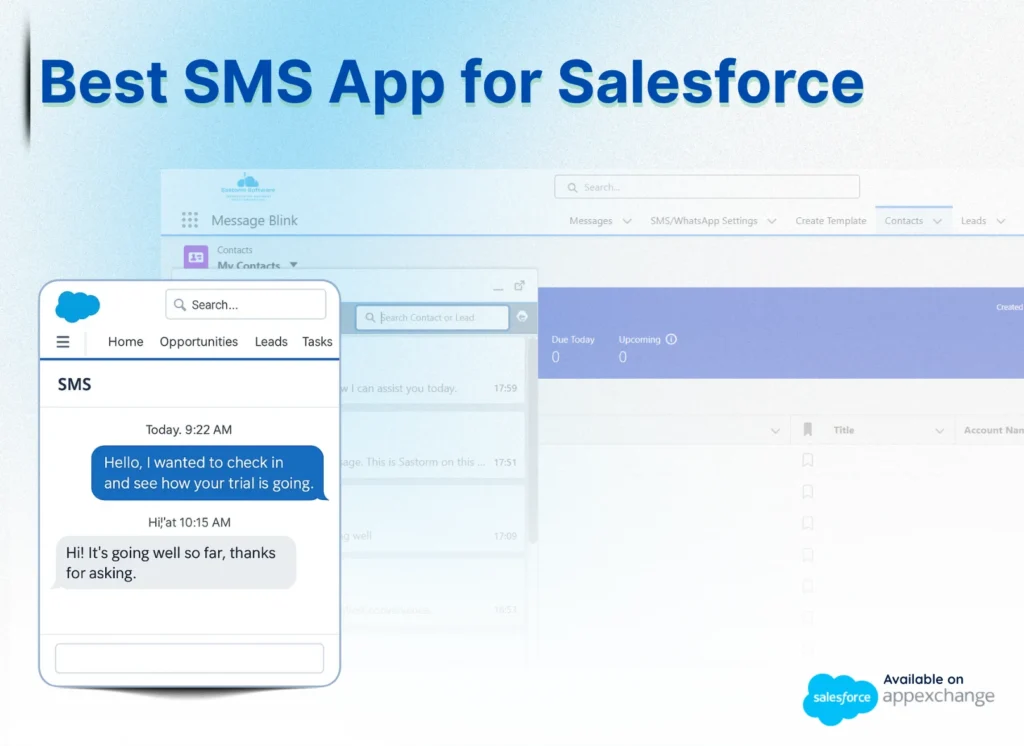
The best SMS app for Salesforce in 2026 is Message Blink. It stands out as a 100% native Salesforce texting app that eliminates middleware, supports bulk messaging, and automates workflows directly through Salesforce Flows.
Benefits of Using SMS in Salesforce CRM
Unlike emails that get lost in inboxes or calls that often go unanswered, SMS in Salesforce enables real-time, personalized conversations. Using a dedicated Salesforce SMS app allows you to send automated and trackable messages at scale. Research shows that Salesforce text messaging doubles lead response rate, making it a superior channel for conversion.
Key capabilities of a top-tier SMS Salesforce app:
95%+ Open Rates: Reach customers where they are.
Flow Automation: Trigger messages based on Lead or Opportunity status.
Full Traceability: Log every interaction automatically in your CRM.
Key Features of a Professional Salesforce SMS App
To choose the best texting app on Salesforce, look for features that solve real Salesforce CRM challenges.
100% Native to Salesforce: Ensures data never leaves Salesforce cloud. No middleware, no sync delays.
Bulk SMS Messaging: Send campaigns to thousands of records via Salesforce Reports, List Views.
Two-Way SMS Chat: Let customers reply and have contextual conversations via SMS.
SMS Automation: High-performing teams leverage Salesforce SMS automation with Salesforce Flows to trigger messages based on any Salesforce event.
Unified Inbox: Manage WhatsApp and SMS in one single Salesforce texting app interface.
Compliance Ready: Built-in opt-out management for TCPA 2026 regulations.
Compare the Best Salesforce SMS Apps
Many Salesforce SMS apps come with compromises like complex setups, limited integration, or separate tools for WhatsApp and SMS. Message Blink delivers a completely Salesforce-native experience, designed to solve these challenges:
Feature/Benefit | Typical Salesforce SMS Apps | Message Blink Advantages |
|---|---|---|
| 100% Salesforce-Native | Partial or middleware required | 100% Native to Salesforce |
| Quick Setup & Deployment | Complex and time-consuming | Setup in under 5 minutes– minimal configuration |
| Unified WhatsApp & SMS Inbox | Separate tools for WhatsApp and SMS | One unified inbox inside Salesforce CRM |
| Built-in Compliance & Opt-Out Management | Manual or extra setup required | Automated opt-in/opt-out tracking built-in |
| Real-Time Two-Way Messaging | Delayed or limited | Instant, seamless two-way messaging |
| Full Automation with Salesforce Flows | Limited , manual setup | Full support for Flows, Process Builder & Apex |
| Data Residency & Security | Third-party routing of data | 100% data stays securely inside your Salesforce |
| Personalized Messaging with CRM Data | Manual or external personalization | Automatic dynamic merge fields for personalization |
With Message Blink, Salesforce SMS is fast, secure, and fully integrated- empowering teams to communicate smarter and close deals quicker.
Why Message Blink Is the Best SMS App for Salesforce?
Built by Ex-Salesforce ISV Partner Account Manager, Message Blink is designed specifically for teams that need a high-performance SMS Salesforce app. It allows users to:
Send bulk SMS campaigns targeting reports, lists, or campaigns.
Use Salesforce texting for real-time alerts and appointment reminders.
Automate complex messaging journeys using Salesforce Flows.
- Maintain 100% security, especially when comparing Twilio vs Message Blink for native integration.
Available on Salesforce AppExchange
Use Cases of Salesforce SMS
Sales Follow-Ups: Quickly follow up after demos or calls with SMS, logged under Opportunity records.
Support Ticket Updates: Provide customers with real-time ticket status via SMS.
Event Reminders: Send bulk SMS campaign reminders for webinars and events, increasing attendance.
Appointment Confirmations: Automate confirmation texts in healthcare, finance, and real estate using Salesforce flows.
WhatsApp and SMS Combined: Handle all messaging from one unified inbox inside Salesforce.
Benefits of Using Message Blink Salesforce Text Messaging Apps
Using a dedicated Salesforce SMS app like Message Blink means:
Fast, reliable communication with instant text delivery.
Higher open rates outperforming emails.
Better record keeping, linking texts to leads and contacts.
Strong automation driven by Salesforce workflows.
Improved team productivity with templates and bulk messaging
Ensuring Compliance & Security in Salesforce SMS
Message Blink automates compliance processes to ensure you meet regulations like the Salesforce SMS TCPA compliance guide 2026. All message data stays securely within your instance, reducing risk.
Conclusion
If you’re serious about elevating your Salesforce SMS game, Message Blink is your go-to solution. It’s clear why so many users call it the best SMS app for Salesforce.
Check out our Salesforce SMS Pricing to find the plan that fits your team.
✅ Ready to simplify Salesforce texting? Explore Message Blink now.
See Also: Top Salesforce Messaging Resources
Explore these must-read guides to power up your Salesforce SMS and WhatsApp strategy:
Bulk SMS Setup Guide for Salesforce
Step-by-step walkthrough for sending bulk SMS campaigns, automating workflows, and best practices for high-volume SMS in Salesforce.Twilio Salesforce Integration
Learn to connect Twilio with Salesforce for advanced SMS automation, campaign sending, and integration decisions.WhatsApp Integration Salesforce
Find out how to unify WhatsApp and SMS messaging flows in Salesforce for seamless multi-channel engagement.