
In the 2026 Salesforce ecosystem, “automation” is no longer just about moving data it’s about intent. As architects and admins, we often design workflows that push information outward, but picking the wrong tool for that “push” can lead to massive technical debt or, worse, a broken customer experience.
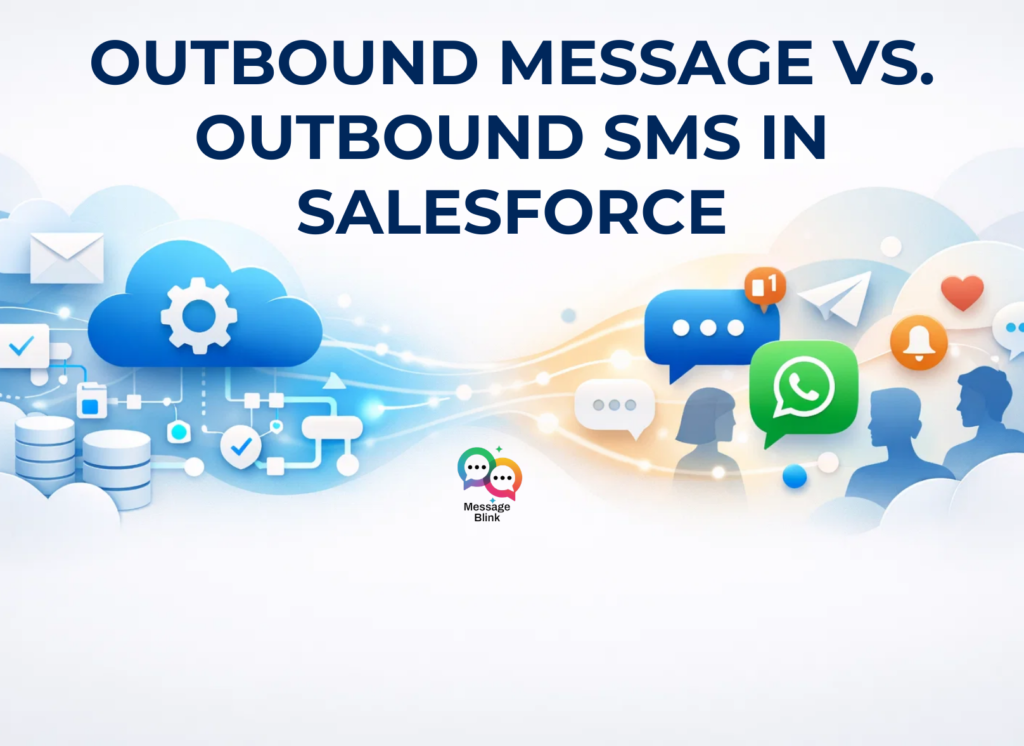
One of the most persistent points of confusion in the ecosystem is the difference between Outbound Messages and Outbound SMS. While both appear to do the same thing (send data when a record changes), they live in entirely different layers of your architecture.
This guide clarifies these layers and explains why modern architectures are moving toward “Engagement-First” tools like Message Blink.
Understanding Communication Layers in Salesforce Architecture
Within Salesforce orgs, outbound communication generally operates across two functional layers:
1. System Integration Layer
-
Machine-to-machine communication- Automated communication takes place directly between applications or services without human involvement, ensuring backend platforms remain synchronized when CRM data changes.
-
Data synchronization across platforms- Updates to records are transmitted so connected databases, billing tools, or operational systems maintain consistent information.
-
Event-driven notifications- External systems receive alerts when predefined milestones or record transitions occur.
-
API and endpoint-driven workflows-Security is tighter than ever in 2026. With the move toward External Client Apps replacing legacy Connected Apps, modern Salesforce architecture requires more robust endpoint authentication for these system-level tasks.
-
With the Spring ’26 move toward External Client Apps replacing legacy Connected Apps, security is tighter than ever. Outbound Messages now require more robust endpoint authentication, making them strictly developer-territory.
Primary Tool: Outbound Messages
2. Customer Engagement Layer
-
Human-centric communication channels- Messaging mechanisms are designed to deliver understandable content to customers or stakeholders rather than system endpoints.
-
Customer status notifications- Businesses use communication channels to keep recipients informed about transactions, appointments, or updates.
-
Targeted campaign outreach- Communication is distributed based on segmentation logic drawn from CRM data.
-
Service and support interactions- Messaging channels allow ongoing dialogue that improves responsiveness and relationship continuity.
Primary Tool: Outbound SMS through salesforce messaging apps like Message Blink
What Is an Outbound Message?
Outbound Messages are a declarative integration feature that sends SOAP-based XML notifications to external web services whenever specific record conditions are met.
They are typically configured through automation components such as flows, approval processes, or workflow rules.
Key Characteristics
-
Structured XML payload delivery- Messages transmit organized record data that external systems can reliably interpret.
-
Endpoint-based communication routing- Notifications are directed to a defined web service URL capable of processing incoming data.
-
Event-triggered execution logic- Transmission occurs automatically when defined record changes or criteria are satisfied.
-
Automatic retry mechanisms- Salesforce attempts repeated delivery if acknowledgement is not received, improving reliability.
-
No per-message transmission billing- Since outbound messaging is a native platform feature, it doesn’t incur communication charges.
What Is Outbound SMS in Salesforce?
Outbound SMS refers to sending text communications to mobile recipients based on CRM data and automation logic. This capability typically comes through Salesforce AppExchange messaging applications, including platforms like Message Blink that integrate directly with Salesforce workflows.
Unlike system notifications, SMS communication is designed to influence human behavior and engagement.
Core Capabilities Explained
-
Personalized communication delivery- Messages incorporate dynamic record data to create relevant customer interactions.
-
Campaign execution automation- Bulk communication can be triggered using segmentation and scheduling logic.
-
Delivery analytics visibility- Reporting insights help evaluate outreach effectiveness.
-
Flow-Native: You don’t need a developer. You can trigger a personalized SMS or WhatsApp message directly from a Record-Triggered Flow or even the new Agentforce triggers.
-
Two-Way Conversations: Unlike an Outbound Message, which is a one-way street, Message Blink allows customers to reply. Those replies are logged directly on the Contact record, ensuring a “Single Source of Truth.”
-
Compliance by Design: In 2026, carrier regulations (A2P 10DLC) are strict. Message Blink handles opt-in/opt-out management natively, so you don’t have to worry about legal “red tape.”
Architectural Comparison
| Dimension | Outbound Message | Outbound SMS |
|---|---|---|
| Target Audience | External systems | Customers |
| Data Format | SOAP XML | Text messaging |
| Purpose | Data integration | Engagement |
| Direction | One-way | One or two-way |
| Trigger | Record events | Automation & campaigns |
| Setup Complexity | Endpoint listener required | Messaging configuration |
| Business Outcome | Sync accuracy | Customer response |
Where Messaging Apps Extend Salesforce?
Outbound SMS capabilities vary depending on the messaging platform used. Native messaging apps designed specifically for Salesforce workflows extend automation into engagement channels.
For example, Message Blink enables organizations to:
-
Trigger SMS from flows
-
Send WhatsApp messages from Salesforce
-
Manage messaging within CRM context
-
Track conversations alongside records
From an architecture perspective, Message Blink enables the transition from automation-triggered notifications to automation-triggered engagement bridging data and communication layers.
Designing a Modern Communication Architecture
A mature Salesforce architecture uses both mechanisms not one or the other.
Integration Tier Responsibilities
-
Maintain data consistency
-
Coordinate backend systems
-
Trigger external processing
Engagement Tier Responsibilities
-
Inform customers
-
Drive interaction
-
Support marketing and service
Example Workflow
-
The Event: An Opportunity moves to “Closed Won.”
-
The System Layer: An Outbound Message triggers, updating the Finance Team’s SQL database and generating an invoice.
-
The Engagement Layer: A Message Blink Flow triggers, sending a “Welcome” WhatsApp message to the customer with a link to their onboarding portal.
-
The Result: The backend is synced, and the customer feels cared for instantly.
This layered model connects backend operations with real-world interaction.
Choosing the Right Tool
Use Outbound Messages when integration reliability and system coordination are the objective.
Use outbound SMS through platforms like Message Blink when engagement, responsiveness, and customer communication outcomes matter.
They are complementary tools not interchangeable solutions.
Conclusion
Outbound Messages are for your servers; they ensure your data is accurate. Message Blink is for your customers; it ensures your business is responsive.
If your goal is to bridge the gap between “data happening” and “customers knowing,” you need a native engagement layer. In the age of AI and instant response, waiting for a custom integration to “translate” your system messages is a losing strategy.
Ready to simplify your outbound strategy? Find Message Blink on the AppExchange and see how easy it is to turn your Flow triggers into meaningful customer moments.