


 ChatGPT
 Perplexity
 Claude
 Google AI
What is Salesforce WhatsApp Integration?
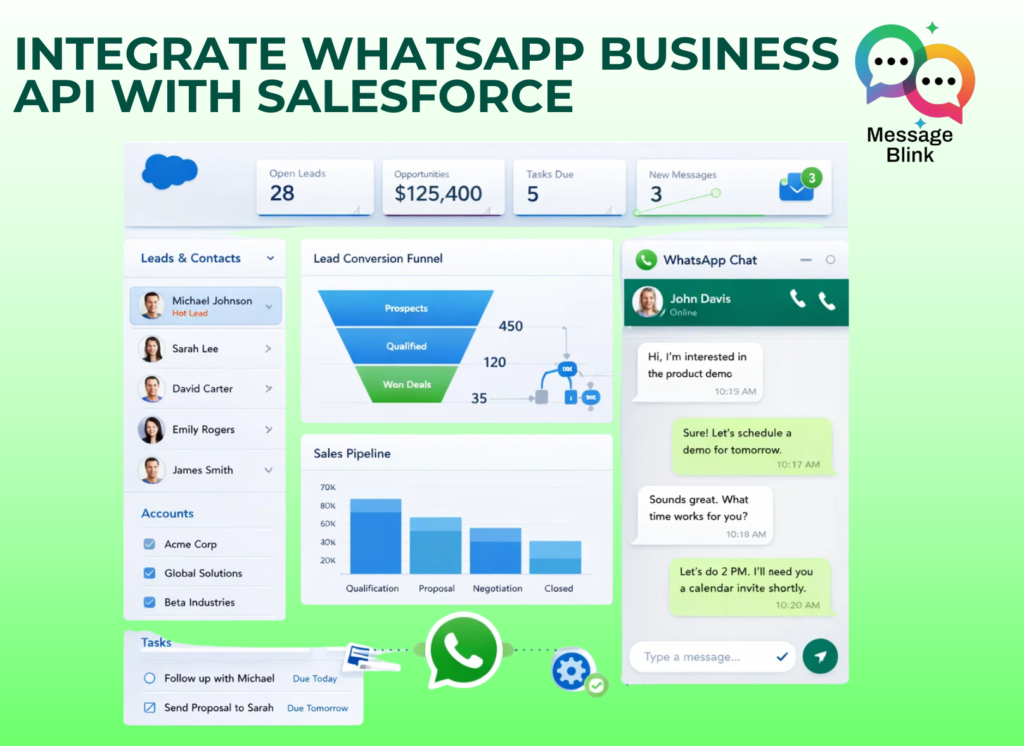
Salesforce WhatsApp integration is the process of connecting your Meta WhatsApp Business API with your Salesforce CRM. This allows for a bi-directional flow of data meaning every message is logged, and every contact is synced.Why Use WhatsApp for Salesforce?
1. Real-Time Customer Engagement
WhatsApp messages have open rates of over 90%. Integrating WhatsApp with Salesforce helps sales and support teams respond instantly, increasing engagement and customer satisfaction.2. Automated Message Logging
Every WhatsApp conversation is automatically saved inside Salesforce records. No manual copy-pasting, no data loss.3. Better ROI for Sales & Support Teams
With WhatsApp inside Salesforce, teams work faster, close deals quicker, and resolve cases more efficiently all from a single dashboard.How to integrate WhatsApp with Salesforce?
Step 1: Verify Your Meta Business Manager
You cannot use a regular WhatsApp app. You need the WhatsApp Business API. You must have a verified Meta Business Manager account.Step 2: Install Message Blink from Salesforce AppExchange
Install the Message Blink App directly into your Salesforce Org. It is 100% Salesforce-native and works seamlessly with Lightning Experience. Message Blink is a Meta Technology Provider that enables businesses to use the official WhatsApp Business API directly within Salesforce.Pro-Tip: Native apps like Message Blink keep your data inside Salesforce, ensuring GDPR and SOC2 compliance.Available on Salesforce Appexchange.Step 3: Connect Your WhatsApp Business Account (WABA)
Link your WhatsApp Business number to Salesforce using Message Blink. Once connected, you can start sending and receiving WhatsApp messages instantly.Key Features of Message Blink Salesforce WhatsApp Integration
1. Send WhatsApp Messages from Salesforce
One-to-one and bulk WhatsApp messaging
Personalized messages using Salesforce fields
Message directly from Leads, Contacts, and Cases
2. Salesforce Service Cloud WhatsApp
Two-way WhatsApp conversations on Case records
Faster case resolution
Shared inbox for support teams
3. Salesforce Marketing Cloud WhatsApp
Run WhatsApp campaigns using approved templates
Trigger messages from customer journeys
Increase engagement and response rates
4. Salesforce Chatbot WhatsApp Automation
Auto-responses and workflows
Lead qualification and routing
Case updates and notifications
WhatsApp for Business Salesforce: Top Use Cases
1. Sales Teams
Lead follow-ups via WhatsApp
Demo reminders and deal updates
Higher response and close rates
2. Support Teams
Real-time case communication
Reduced resolution time
Improved customer satisfaction
3. Marketing Teams
Promotional campaigns
Event and payment reminders
Customer re-engagement
Salesforce WhatsApp Integration Pricing: What Should You Expect?
Salesforce WhatsApp integration pricing typically depends on:
WhatsApp conversation charges set by Meta
Monthly messaging volume
Automation and reporting features
With Message Blink:
Transparent pricing. Licensing Fees : 12$ per user per month
This makes it ideal for businesses researching Salesforce WhatsApp pricing with clear ROI.
Why Message Blink Is the Best Salesforce WhatsApp Integration?
- Meta Technology Provider
- Built on the official WhatsApp Business API
- 100% Salesforce-native App
- Supports Sales, Service, and Marketing Cloud
- WhatsApp and SMS in one app
- Secure, compliant, and scalable
If you’re looking for a future-ready WhatsApp API integration with Salesforce, Message Blink is purpose-built for Salesforce users.
Conclusion
WhatsApp API integration with Salesforce is no longer optional it’s a competitive advantage.
Businesses that combine Salesforce CRM intelligence with WhatsApp’s real-time engagement:
Close deals faster
Resolve issues quicker
Deliver better customer experiences
If you want a secure, scalable, and Salesforce-native Salesforce WhatsApp integration, Message Blink is built to deliver.