


 ChatGPT
 Perplexity
 Claude
 Google AI
If you’re a Salesforce user looking to streamline your customer communications, integrating SMS in Salesforce is one of the most powerful steps you can take. With Salesforce SMS messaging, support teams can send quick updates, reminders, and alerts directly from Salesforce, all while maintaining complete customer context. In this guide, we’ll explain how to set up SMS in Salesforce Service Cloud, explore popular Salesforce messaging apps, and walk through how Salesforce text messaging can enhance customer experience.
Why SMS in Salesforce Matters?
Text messaging is now the most immediate and effective way to reach customers. Emails often get ignored, and phone calls go unanswered—but a simple Salesforce SMS can cut through the noise. With Salesforce texting, agents can reach customers on the channels they use the most—right from the Service Console.
Benefits of enabling SMS messaging in Salesforce include:
Faster case resolution with real-time responses
Improved customer satisfaction (CSAT)
Centralized communication within the Salesforce Service Cloud
Better tracking and compliance for all messages
Whether you’re looking for one-to-one Salesforce texting or bulk SMS messaging in Salesforce, the setup process starts with choosing the right Salesforce messaging app.
Step-by-Step Guide: How to Set Up SMS in Salesforce Service Cloud
1. Choose the Right Salesforce Messaging App
Before setting up SMS in Salesforce, you’ll need to pick a messaging solution that fits your needs. Salesforce doesn’t provide native SMS messaging out-of-the-box, so you’ll need to use a Salesforce SMS messaging app from AppExchange. Popular features to look for:
Native integration with Service Cloud
Two-way Salesforce SMS support
Workflow automation for SMS messaging in Salesforce
Compliance with opt-in/opt-out regulations
WhatsApp & other channel support (if needed)
Apps like Message Blink offer robust features tailored for Salesforce texting, including bulk texting, keyword automation, templates, and history tracking—all within Salesforce.
2. Install Your Chosen Salesforce SMS App from AppExchange
Once you’ve picked the Salesforce SMS app that best fits your needs, follow these steps to install it from AppExchange:
Visit the Salesforce AppExchange
Type the app’s name into the search bar and open its listing
Click “Get It Now” and select the environment where you want to install it (sandbox or production)
Complete the installation process by following the vendor’s setup instructions
This step ensures the app is properly integrated with your Salesforce environment, allowing you to start using SMS features within your org.
3. Configure Messaging Channels
Most Salesforce SMS apps allow you to set up one or multiple phone numbers, short codes, or WhatsApp channels. After installation:
Go to the app’s setup tab inside Salesforce
Register your messaging number or provider account (Twilio, Vonage, etc.)
Map messaging channels to specific teams (e.g., Support, Sales)
Ensure the messaging setup supports two-way Salesforce texting, especially for Service Cloud where interactions happen in real-time.
4. Create SMS Templates in Salesforce for Faster Messaging
Boost efficiency by setting up reusable SMS templates directly within your Salesforce messaging app:
Go to the SMS Templates section in your SMS or WhatsApp messaging app
Create templates for frequent scenarios such as:
Case or ticket status updates
Appointment confirmations or reminders
Shipping and delivery notifications
Using templates ensures your team sends consistent, on-brand messages quickly—saving time while improving customer communication in Salesforce.
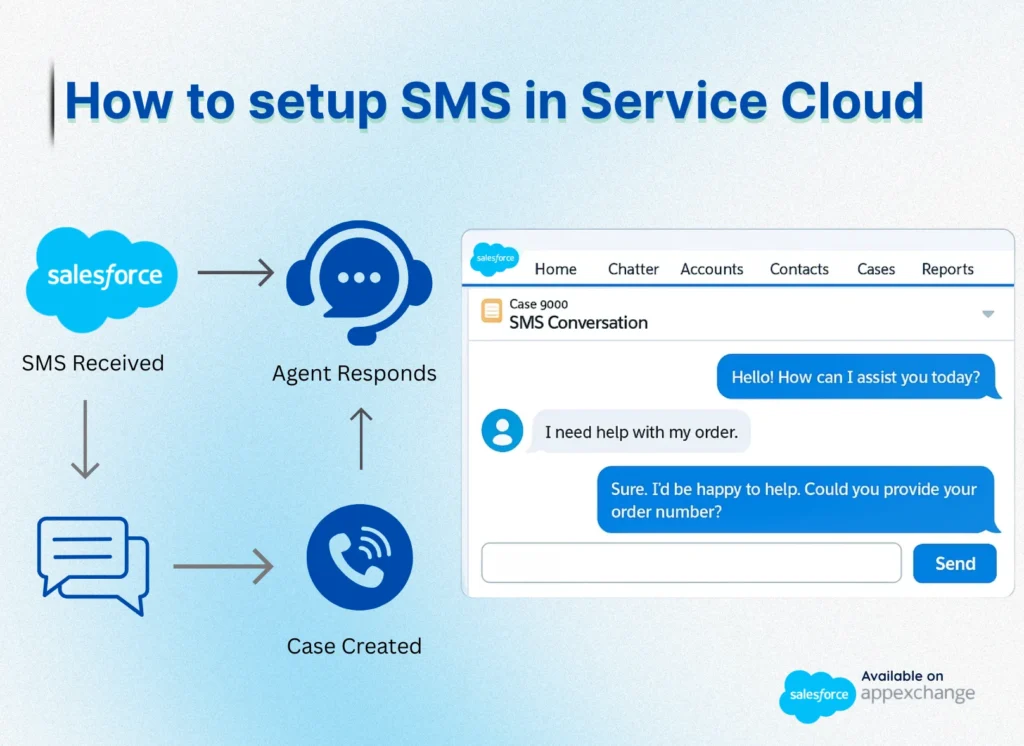
5. Enable SMS in Salesforce Service Console
Now integrate Salesforce SMS capabilities within the Service Console:
Add the SMS component or Lightning Web Component (LWC) to the agent view
Ensure that message history appears on contact/case records
Use the Live Inbox or messaging tab to respond in real-time
This setup gives your agents the ability to send and receive SMS messages in Salesforce without switching apps.
6. Automate SMS Messaging Salesforce with Flows
Salesforce SMS automation is a game-changer. Use Salesforce Flows or Process Builder to trigger SMS messages automatically. For example:
Send an SMS when a case is created
Trigger reminders for appointments
Automate feedback requests after case closure
These automations enhance your Salesforce messaging strategy while reducing manual work.
Best Practices for Text Messaging in Salesforce
To get the most out of SMS communication in Salesforce, follow these proven best practices:
Obtain Consent: Always secure opt-ins before messaging to stay compliant and build trust.
Control Frequency: Don’t overwhelm users—space out your messages to avoid spamming.
Stay Clear and Personal: Craft short, relevant messages that feel personalized and direct.
Track Performance: Use built-in reporting tools to monitor message delivery and user engagement.
By using a top-rated Salesforce SMS app, many of these best practices can be automated within your existing Salesforce workflows.
Use Cases for Salesforce SMS Messaging in Service Cloud
SMS Salesforce messaging isn’t just for marketing. It plays a critical role in:
Customer support: Send ticket updates and resolution alerts
Field service: Notify technicians and customers about schedules
Financial services: Send alerts, reminders, or verification messages
Healthcare: Share appointment reminders and prescription info
When Salesforce texting is integrated into Service Cloud, it transforms how service teams interact with customers.
Final Thoughts
Setting up SMS in Salesforce Service Cloud doesn’t have to be complex. With the right Salesforce SMS messaging app, a solid setup, and smart automation, your service team can connect with customers faster and more effectively. Whether you need one-on-one texting, automated SMS flows, or bulk SMS campaigns, using Salesforce SMS as your communication channel ensures you stay within a secure, trackable, and scalable platform.
Ready to get started? Explore top-rated Salesforce messaging apps on AppExchange and bring real-time SMS messaging Salesforce capabilities into your CRM.